
Category: SEO Clarity
-
10+ Excellent Web Design Tools & Resources to Use in 2024

It’s a New Year, but one thing hasn’t changed. The number of web design resources and tools just keeps on increasing. That’s a good thing. But it does make it that much more difficult to find a theme, plugin, or resource you really have a need for if you are to stay abreast of or leapfrog the competition.
We are in a position to make your search easier. Much easier in fact. We reviewed and tested web design tools & resources we believe many users, designers, and developers have a genuine need for. The types we believe to be essential, and that you will see in our final list of 15 are:
- website builders for building landing pages and multiple-page websites quickly, easily, and without any need for coding.
- WordPress plugins that can incorporate potentially game-changing functionalities, that are challenging to design, into websites.
- WordPress themes for building complex and high-conversion rate websites and online stores.
- Vector illustrations that can give a website a whimsical or entertaining aspect.
- font identifiers to identify and provide access information to a “must have” font or fonts.
A majority of the web design resources and tools in the following list have a free or trial version:
- Brizy
- Trafft
- WpDataTables
- Uncode
- LayerSlider
- Amelia
- WhatFontis
- Slider Revolution
- GetIllustrations
- Mobirise AI
- XStore
- Blocksy
- Total Theme
- Essential Grid
- Woodmart
What are a few of the important attributes these Excellent Web Design Tools & Resources for Designers and Agencies share?
- They look premium. There is something about a top tool or resource that makes you wish you had acquired it a long time ago, e.g., how enjoyable it is to use.
- They are intuitive. From signing up, to downloading, using, cancelling, and anything in between, everything needed is placed precisely where it should be.
- They add real value. They facilitate getting more and higher paid assignments by helping you deliver web design projects faster, making your final deliverables more attractive, or both.
15 best web design Tools & Resources for Designers and Agencies
To help you in your research, we’ve included top features, customer average grade on non-biased platforms such as Trustpilot, Capterra or WordPress.org, and client feedback.
Ready? Then let’s get started.
1. Brizy Builder

Brizy is the best website builder for Agencies, Designers, and anyone else in need of a White Label solution.
Brizy’s top feature is without a doubt its 100% customizable White Label solution that allows its users to add their own branding, including the builder name, builder logo, domain URL, support link, about link, and project subdomain.
Brizy Builder’s library of demo/template/prebuilt websites is also highly popular with its users. Soulful and Cuisine is one of the 5 most downloaded pre-built websites. It is attractive and inspirational, and while it provides an ideal foundation for a restaurant or bistro, the layout can be used for other service-oriented website types as well.
There’s more to like as well. New users quickly become aware of Brizy’s intuitiveness, and their ability to edit any type of content in place. Many competing builders force their users to create their content in a disjointed sidebar. That’s not the case with Brizy.
Customer Average Grade: 4.6/5 on Trustpilot
Client Feedback: “I am amazed by my experience with Brizy. The tool is easy to use, and the support is one of the best I have ever experienced. Fast replies and my contact really went the extra mile in helping me solve my problem. I can only recommend Brizy to everyone who’s looking to build their own website”!
Instant Support Materials: Documentation, Brizy Academy, Useful Blog Posts and YouTube videos
2. Trafft – Booking Software
The Best Free Scheduling Online Software Solution for Business Owners.
Flexibility is always important when selecting a theme or plugin. The top feature of this software solution is the ability to operate in a wide range of languages because of its powerful Multilingual Notifications System.
This user favorite:
- facilitates the effective management of appointments and events using email, SMS and/or WhatsApp messages.
- keeps users informed about the status of appointments or events.
- offers custom notifications that enable users to tailor alerts for specific services or events.
The library of prebuilt websites also plays a significant role in making working with Trafft a pleasant experience. The Career Mastery Coaching prebuilt website illustrates what an effective event booking system might look like.
Key features users notice once they start using Trafft include easy backend and frontend interface navigation and the power the customization options bring to the table.
Web developers and digital design agencies can be expected to be more than pleased to discover that Trafft offers a White Label option.
Customer Average Grade: 5 stars on Capterra
Client Feedback: “ I love that Trafft has so much included – and that you can customize literally everything, including the email & SMS notification wording (which is a big deal for me since I like communications to be in my brand voice).”
Support Materials: Trafft’s ticketing system. Support manual, YouTube videos, social media, and email.
3. wpDataTables -The Best Tables & Charts WordPress Table Plugin
wpDataTables offers an ideal solution for businesses and individuals who need to create tables and charts.
The wpDataTable plugin’s top feature, its Multiple Database Connections capability, represents a data management breakthrough by empowering every table to become a data hub that can pull information from different databases or servers.
By simplifying data management tasks, wpDataTables allows its users to create custom, responsive, easily editable tables and charts with ease. A bookseller could probably put this Responsive Catalog Table with Books to good use.
Features new wpDataTables users will discover include:
- an abundance of useful functionality wrapped in an intuitive package.
- the ability to adroitly manage complicated data structures.
wpDataTables also supports separate connections for working with specialized database systems and features chart engines for displaying data for marketing, financial, and environmental uses.
Customer Average Grade: 4.5/5 pm WprdPress.org
Client Feedback: “WpDataTables is an excellent WordPress Plugin. What you are able to accomplish with this plugin is nothing short of amazing. Their support is even better! Highly, highly recommend using this product and supporting this company.
I have tried different utilities for creating charts out of a series of CSV files I use for weather data, but it has been a hassle until I discovered wpDataTables which does exactly what I need. Very user friendly and versatile. And it also understands that there are other standards for date, decimal, and time apart from the Americas.”
Instant Support Materials: Support manual, the Facebook community, and YouTube videos
4. Uncode – Creative & WooCommerce WordPress Theme
Uncode is the #1 WordPress and WooCommerce theme for creatives, professional designers, and agencies looking for an ideal solution for any project.
While Uncode’s ensemble of website building tools and options would seem to more than justify its popularity, most of its users say the demo library is its #1 feature. The demos not only exhibit exceptional attention to detail but have proven to be excellent sources of inspiration as well.
Uncode’s classic Web Experiences is one of the 5 most downloaded demos. Just imagine what you could do with it.
New users are impressed with the value inherent in Uncode’s demos and wireframes, the level of customization, and the top-notch customer support.
Uncode’s principal users are:
- Agencies and Freelancers, because of the multitude of options that cover the needs of every customer or client.
- Shop creators, who can easily make effective use of Uncode’s advanced WooCommerce features.
Customer Average Grade: 4.89/5
Client Feedback: “I have used Uncode on 6+ websites now, and it’s absolutely my go-to theme! The features, quality, and customer support are outstanding. The developers do an incredible job of keeping the theme up to date and stable, constantly implementing new features and optimizing the theme. A solid product with great documentation and responsive support team. Kudos!”
Instant Support Materials: Support manual, Facebook groups, YouTube videos
5. LayerSlider – Best WordPress Slider Builder Plugin
LayerSlider, the top-rated WordPress slider plugin, empowers web designers to effortlessly enhance websites and make them truly shine.
LayerSlider’s scroll effect has emerged as its top feature. You can find it prominently displayed in the recent batch of full-size hero scene and whole website templates. Scroll through the Flavor Factory pre-built web page and see how easy it can be to use LayerSlider to help capture and engage visitors.
LayerSlider easily accommodates a range of uses, from creating simple sliders or slideshows to sprucing up your site with captivating animated content.
Newer users appreciate:
- LayerSlider’s customizable interface that suggests the plugin was created specifically for their use only.
- easy access to millions of stock photos and videos plus other integrated online services.
- the Project Editor that ensures that what you need is right where you need it.
LayerSlider also really shines when there is a need to create content for marketing purposes. Marketers are impressed with the mind-blowing effects that can be incorporated into their popups and banners.
Client Feedback: “A fantastic slider plugin with regular updates to make sure compatibility is never a problem. Keep up the amazing work!”
Support Materials: Product manual, In-editor help, support tickets, and email.
6. Amelia – WordPress Booking Plugin for Appointments and Events
Amelia is the best WordPress plugin for Agencies and Businesses in need of a streamlined booking solution.
The automated notifications system is Amelia’s top feature. Users could tell you how easy it was to categorize and position appointments as pending, approved, cancelled, rejected, or rescheduled. Special notices such as upcoming events or birthday congratulations can also be forwarded via the notifications system to assist clients and enhance their loyalty.
Amelia offers a number of templates that can be customized to help businesses grow. Yoga Studio is a notable example of how a template can be put to use to advertise a business.
Those new to Amelia could tell you about:
- the ease of navigation they discovered, the innovativeness exhibited in the backend and frontend interfaces, and its functionality and user-friendly design.
- the value its transparent pricing policy offers.
- the extent of the customization options.
The Amelia plugin offers an ideal booking solution for service-oriented businesses including those specializing in ticket sales and/or events. Programming agencies and developers could also profit from having Amelia in their design toolkits.
Customer Average Grade: 4.8 on Capterra
Client Feedback: “Great plugin, I have tested similar, but Amelia seems to be the best for my site, I have many customers through the site, and everybody is satisfied with this appointment system. Sometimes there are a few bugs but quickly corrected through regular updates. Globally very good notation.”
Instant Support Materials: YouTube videos, Discord Group, and Support Manual
7. WhatFontIs
The most powerful and accurate free font identifier.
This tool’s top feature is its accuracy. WhatFontis users have a 90%+ chance of finding whatever free or licensed font they want identified.
No other system can claim that accuracy, and most of them charge a fee for whatever service they provide. It is worth noting that the ability of WhatFontis to identify a given font correctly can be compromised if the quality of the submitted image is subpar, and that is what accounts for some of the roughly 10% of missed identifications.
WhatFontis can do what it does best in part because of its database of 990K+ free and commercial fonts. This is nearly 5 times as many fonts as that attributed to the nearest competitor.
Whether the goal is to identify a specific font sent by a client, or simply because it is attractive, a customer wants to know what it is and where to find it. A search can be conducted for a font regardless of its publisher, producer, or foundry.
The process is as easy as can be.
- Upload a clean font image.
- In response, an AI-powered search engine identifies the font and as many as 60 close neighbors.
- Links are provided that show where a free font can be downloaded or where a commercial font can be purchased.
Note: Cursive font letters must be separated before being submitted.
Client Feedback: “I came across this website courtesy Google search, used their services successfully; and today I find out it’s on product hunt! If you are ‘driven’ by the need to discover what font ‘that person/ company’ uses, then this should be your go-to solution site. For most of us it would be a once in a blue moon need, except for the professionals.”
Types of Instant Support Materials: User Forum
8. Slider Revolution – More than just a WordPress Slider
Slider Revolution is the best WordPress plugin for Designers, Web Developers and anyone seeking a way to create jaw-dropping animated sliders.
This plugin’s top feature is the ability it gives to its users to visually create stunning animated effects for WordPress.
The Slider Revolution plugin is not limited to creating sliders. It can be used to:
- create stunning home pages that immediately engage its visitors.
- create portfolios that will be viewed a second, or third, time because of the method of presentation.
- design eye-catching sections anywhere on a website.
A stroll through Slider Revolution’s library of 250+ templates may be all that’s necessary if you need a little inspiration to get started. These templates have been 100% optimized for different screen configurations and feature special effects you won’t see on most websites. The Woodworking Website template for example, makes clever use of the hover effect to highlight both text and images. The layout itself can be used for a wide variety of website types or niches.
The Slider Revolution plugin is tailor made for individual web designers and developers, web shops, and small agencies.
Customer Average Grade: 4.6/5 on Trustpilot
Client Feedback: “I absolutely love the Slider Revolution. It does wonders for my projects. I am super excited about all of the templates that are ready for use. Their support has been incredible”.
Instant Support Materials: Support Manual, YouTube videos
9. Getillustrations – Creative Stock Illustrations Library
The best resource for designers who are looking for top quality illustrations with terrific attention to detail.
Getillustrations’ top feature is three things in one; 21,500+ vector illustrations, free updates for one year, and new illustrations added every week. In other words, once you get started, good things keep coming your way!
You will have 40+ nicely arranged categories to select from. Most categories have several hundred illustrations, a few have more than 1,000.
These illustrations appeal to clients ranging from students and businesses to designers and developers. You’ll find pencil and basic ink illustrations, several 3D illustration categories, and fitness, logistics, and ecology illustrations to name but a few, and since they are exclusive to Getillustrations you will have an edge over those using other stock illustration resources.
You can purchase illustrations by the pack if you choose to. The Motion Illustrations pack is one of the larger ones with 1,090 vector web illustrations at latest count .These Motion illustrations feature a diverse range of themes, each of which makes a statement.
Client Feedback: “I really like the different styles available in this library. I used it to illustrate some of my blog posts. Since you get vector files, you can also recolor them to have them match your brand and product identity!”
Support Materials: Vector stock illustrations in .Ai .Figma .PNG and .SVG
View Getillustrations Offerings
10. Mobirise AI Website Builder
The best tool for creating and downloading full page websites using prompt commands only.
The Mobirise AI website builder is a revolutionary tool that uses intelligent algorithms to generate beautiful websites. Its top feature enables its user to generate a website using a single prompt.
The super-intuitive single prompt interface makes Mobirise AI an ideal choice for anyone looking for a simplistic yet efficient design approach.
- Describe in detail what your site is all about, and this AI website builder will take your data and through the use of intelligent algorithms auto-generate a basic layout.
- Once that is accomplished you can use prompts to customize style, colors, fonts, etc., and edit pre-generated content to suit your needs.
- When you have the beautiful, optimized for Google and mobile devices website you want you can launch it with a single prompt.
Note: Even though Mobirise AI does much of the work, you retain full ownership of your website.
Client Feedback: “The AI website builder was astonishingly intuitive. What I appreciated the most was the seamless drag-and-drop interface which allowed me to position elements anywhere on my site. The AI’s design recommendations saved me hours of second-guessing my layout choices. Not to mention, the automatic SEO feature was a godsend–it optimized my site without me having to learn the complex ins and outs.”
Instant Support Materials: Support Manual, User Forum, YouTube Videos
11. XStore – Best WooCommerce WordPress Theme
XStore is the best WooCommerce theme for anyone looking to quickly build a high-converting online store.
XStore is obviously tailored for use by shop owners and prospective shop owners who seek an online presence. While the selection of ready-made stores (pre-built websites) has always been highly popular, the recently introduced selection of Sales Booster features has emerged as the top favorite.
New users soon come to appreciate the Builders Panel and the intuitive XStore Control Panel, both of which give them the store-building and customization flexibility needed to create the custom store they envision.
They also like the solid start XStore’s pre-built websites make possible. The layout of the Marseille prebuilt website is an excellent example of why it’s possible for a novice to get a store up in running in a few hours.
XStore doesn’t stop there. Its users have instant access to the powerful family of Single Product, Checkout, Cart, Archive Products, and 404 Page Builders; all favorites of shop owners.
Customer Average Grade: 4.87/5
Client Feedback: “I love this theme! There’s a wider learning curve to go through before getting a hang of the features, but the overall versatility and aesthetic factor is excellent.”
Instant Support Materials: Support Manual, YouTube videos
12. Blocksy – Premium WooCommerce WordPress theme
Blocksy is the best free WordPress theme for building attractive, lightweight websites in 2024.
There doesn’t appear to be much about Blocksy that its users don’t love. Consequently, when it comes to identifying this premium WooCommerce WordPress theme’s top feature, there’ s a 4-way tie.
- Blocksy’s footer and header builders are super-user friendly.
- Gutenberg support ensures top performance.
- Developers love the advanced hooks and display conditions.
- Everyone appreciates seamless WooCommerce integration together with its associated features.
And on top of it all, Blocksy is free!
Several of the things new users quickly recognize is that Blocksy:
- uses the latest web technologies.
- provides exceptional performance.
- integrates easily with the most popular plugins.
Cosmetic is a beautiful, meticulously crafted starter site with a pleasant design that lets products take center stage. While centered on beauty products, its layout can be used for a wide variety of website niches. Cosmetic is one of the 5 most commonly used starter sites.
Customer Average Grade: 5/5 on WordPress.org
Client Feedback: “Blocksy is fast and light, responsive and beautiful.
Blocksy has nothing superfluous and has everything you need.
I love Blocksy, and Blocksy loves me.”Instant Support Materials: A readily accessible Documentation Section, Support Manual, YouTube videos. Facebook Group
13. Total WordPress Theme
Total is the best WordPress theme for web designers and developers seeking the flexibility required to design from-scratch.
Total’s top feature is its seemingly unlimited flexibility. Its assortment of design tools and options makes it a Swiss Army knife of website design and is one reason its name is so appropriate. A well-deserved reputation for amazing support also tends to set Total apart.
Not long after becoming acquainted with Total, its users could tell you about a number of things they discovered and like including the fact that:
- Total has settings for everything, tons of page building options, a font manager, custom post types, and more.
- Total is speed optimized.
- Total provides dynamic templates for posts and archives.
Total’s pre-built website collection is another favorite. Synergy’s minimalistic design lends itself to a wide range of uses and is one of the 5 most widely used pre-built websites.
Total is tailored for beginners, developers, and DIYers. Advanced designers like Total as well, and for all intents and purposes, anyone else will too.
Customer Average Grade: 4.86/5
Client Feedback: “I have been using Total for several years now for several (10+) websites. Out of the box it’s already a great theme and very well documented. Some websites required specific functionality and so far, there was nothing I couldn’t provide. If I can’t figure it out myself, support is always willing to help. I don’t need another theme anymore.”
Instant Support Materials: Support Manual
14. Essential Grid – WordPress Gallery Plugin
Essential Grid is the best WordPress Gallery Plugin for businesses who want to capture visitors’ attention with breathtaking galleries.
Essential Grid is the best WordPress Gallery Plugin for anyone who wants to create a unique, attention-getting gallery.
Essential Grid’s library of 50+ unique grid skins is its top feature and is what this WordPress gallery plugin is all about. Why these skins are such a favorite is easy to see. Most web designers and developers would not want to have to take the time to create a gallery from scratch and the grid skins offer an excellent alternative approach.
In addition to making it easier to create a gallery layout you want, it’s also possible you’ll come across a grid skin layout you haven’t even thought possible and can’t wait to put into use. The YouTube Playlist layout for example shows how the hover effect can transform a seemingly run-of-the-mill gallery into a real attention getter.
Essential Grid’s users will tell you how much of a time saver this plugin can be, and how effective it is at helping them organize their content streams.
Customer Average Grade: 4.7/5 on Trustpilot
Client Feedback: “I have to say that the level of support I received is definitely one of the best I have ever experienced. Big thumbs up!”
Instant Support Materials: Support manual and YouTube videos
15. WoodMart – WordPress WooCommerce Theme
WoodMart is the best WooCommerce theme for niche ecommerce design.
Just a glance at the WoodMart website is enough to grab your attention. Woodmart’s top feature, super-realism, pops right out at you. The custom layouts for shop, cart, and checkout pages are so well done that it’s easy to forget where you are and start window shopping.
There is plenty more to about WoodMart too, for example:
- A multiplicity of available design options.
- Easy customization to fit the brand.
- The time-saving Theme Settings Search and Theme Settings Performance Optimization features.
- Widely used “Frequently Bought Together”, “Dynamic Discounts”, and social integrations options.
WoodMart also has a White Label option.
Finding the most popular demos isn’t easy since most of them enjoy lots of usage. WoodMart Organic Baby Clothes is one of the 5 most downloaded demos.
Customer Average Grade: 4.93/5
Client Feedback: “This theme is perfect. It has all the options you can imagine and tooltips to help you understand what you are about to change. It’s fast out of the box and makes a great use of Elementor. Great responsive design.”
Instant Support Materials: Support Manual and YouTube Videos
*******
Do you see one or more web design resources and tools you would like to add to your toolkit? It would certainly be easier than having to sift through hundreds on your own. That is why we did the vetting process for you. You still will want to preview those that interest you and try them out if possible. The free ones are of course for the taking.
What will you be looking for? These 15 excellent web design tools & resources have several characteristics in common. Characteristics that are necessary to be considered as “best-in-class”. Those characteristics are as follows.
- Plugins, themes, and resources are easy to install or set up and are user friendly.
- They give your website an edge in terms of design, functionality, or visitor appeal; or all three.
- Customer support is friendly, fast, and competent.
- They allow you to test the product for free. Or give you enough information to ensure that won’t end up feeling like the product you purchased is markedly different from the one you saw advertised.
Check out any or all of the 15 best web design tools and resources you believe you could put to good use. Test them out if you can and either add them to your toolkit or write them off.
Are you done? Not really. Since there are many new web design tools & resources coming into the marketplace every day, some of which might offer greater opportunities, your search will never really end.
-
5+ Best WordPress Plugins to Try Out [2024 edition]

The WordPress directory has 50k+ free plugins that were developed so you can extend a WordPress website with functions and features far beyond your imagination.
Additional thousands of WordPress plugins are available from various marketplaces.
No matter how much you might have a need for a specialized plugin or two, would you really want to spend a full workday on reseraching? Probably not.
So, what, if anything, can you do? We have an answer to that.
We tested tens of WordPress plugins and selected the 8 best WordPress free and premium plugins for a range of both popular and lesser used functions.
These plugins focus on important functionalities that you won’t typically find in a WordPress theme. They address web designer/developer needs for:
- problem-free building of landing pages that catch the eye.
- management and displaying of financial, commercial, scientific, statistical, and other data, as well as of substantial amounts of data.
- visual storytelling that enhance UX.
- automating and streamlining appointments bookings.
These 8 best WordPress plugins for 2024 are available in trial, free, or premium.
What key qualities do these top WordPress plugins have?
Support – We reviewed product development teams’ responses to problems and questions and recommended only those products whose teams have a history of answering support issues within 24 hours.
Reviews by users. We extensively read product reviews and testimonials that specified both ‘Have’ and ‘Have nots’ of these plugins.
Features – We scrutinized each plugin to ensure its advertised features would meet the goal the plugin was designed and built to satisfy.
Free version – All 8 have free versions with a large number of features.
Compatibility – We made certain each plugin was fully compatible with the latest WordPress and PHP versions, and has been updated within the past two months.
8 Best WordPress Plugins for 2024
These 8 WordPress plugins are excellent in their areas. And we have made your job easier by doing time-consuming work for you.
Below, you will read about each plugin’s key features, how their customer evaluated them, and we will give you links to test them out or find out more info for yourself.
1. Amelia
WordPress Plugin — Appointment Booking WP PluginAmelia is the best WordPress plugin for a service-oriented business looking for an automated booking system.
More than 70% of Amelia’s users agree that Amelia’s standout feature is its powerful multilingual Notifications system that enables users to seamlessly manage their appointment and event bookings via SMS, email, and/or WhatsApp messages.
Product qualities users realize once they begin using Amelia:
- effortless navigation and ultramodern backend and frontend interface attributes.
- the ability to tailor Amelia to meet their specific needs.
- a user-friendly design that is free from unwelcome surprises together with the value inherent in transparent functionality and pricing.
A service-oriented business like the one shown in the barbershop template can take advantage of Amelia’s new and improved booking form, organize an appointment flow that best suits their business model, and receive appointment requests online 24/7.
Product rating: 4.8/5 on Captera.
Customer Insight:
Pros: “Amelia is one of my favorite plugins because: 1. Easy to install and use. 2. Reliable and professional quality. 3. Full of great features – better than any others I have used. 4. Great layout, versatile and works seamlessly with clients 5. It is always updated and improved. 6. Support help and communication is fast, friendly, and excellent. 7. Not just a flash in the pan. It has been around for a long time.”Cons: “Nothing I can think of or have had to be concerned with.”
Instant Support: Documentation, Videos on YouTube and a Discord Group.
2. wpDataTables: The Best WordPress Table & Chart Plugin
wpDataTables is the best WordPress plugin for organizations or individuals tasked with creating tables and charts from complex and/or massive amounts of data.
wpDataTables’ key feature is its Multiple Database Connections capability. This groundbreaking feature is a data management breakthrough that allows a table to set up independent connections to MySQL, MS SQL, or PostgreSQL databases and become a versatile data hub in the process.
Product qualities users quickly become aware of:
- a user interface that does not require technical ability to effortlessly create tables or charts.
- wpDataTable’s blend of powerful features that handle complex data structures with finesse.
- effortlessly show informative tables by seamlessly incorporating data and information sourced from diverse origins.
wpDataTables is excellent for statistics data tables that are responsive. Other uses include:
- fixed headers and columns that ensure that key columns and headers remain visible while scrolling and make data analysis more straightforward.
- Shortcode for single cells: helpful for useful adding multimedia, links, or other dynamic elements to a table.
- The ability to populate tables with data from various APIs.
Product rating: 4.83/5
Customer Insight: “Really great for tables using csv or Excel. Solved a very difficult content issue for me. Thanks so much!”
Instant support options: Excellent documentation and on point YouTube videos.
3. Brizy: Best Website Builder
Brizy is the ideal WordPress website builder for those looking for a White Label solution to market their own brand.
Brizy’s standout feature is its White Label option. You can brand the Brizy builder as your own and encourage clients to create websites using “your” builder.
Product qualities users discover as they use Brizy Builder:
- You will never have a problem editing in place whether you are clicking on a text, an image, or any other kind of content.
- Content is never created in a disjointed sidebar, as is the case in some competing builders.
Tailored features for agencies and resellers in addition to the White Label option, include Billing, Reseller Client Management, Multi-language capabilities, and Marketing integrations.
Brizy Builder is ideal for building creative websites and landing pages in the Brizy Cloud or when used with the Brizy WordPress theme. “Petits” Brizy’s pet website template is ideal for a pet shop in addition to having a wide range of other uses.
Product rating: 4.6/5 on Trust Pilot
Customer Insight: “In many way a very satisfying pagebuilder, with a generous and fantastic free version. Especially the way of working with pictures is really nice. However, sometimes experience that Brizy is a little unstable, some things that in between do not flow as they should. But can warmly recommend it, not least for beginners.”
Support capabilities include the Brizy support manual and YouTube videos.
Click here to check out the Brizy Builder plugin.
4. Slider Revolution
Slider Revolution is the best WordPress plugin for those looking to incorporate a WOW factor into their sliders without any need for coding.
Some say it’s the knockout effects for WordPress that turn them on. With others, Slider Revolution’s top feature is the one that enables them to create sliders visually. Both are right.
Revolution Slider has a host of design options for every category of user:
- Web shop builders will tell you that the WooCommerce sliders are especially useful.
- Businesses and small agencies find the one-page portfolio templates particularly helpful.
- The images and cool scrolling effects in Slider Revolution’s mesmerizing Brewery Website slider template will tempt you to take time out for a cool one. It’s great for a wide variety of uses.
Users quickly take note of the features that allow them to easily upgrade a WordPress website visual in mere minutes.
Product rating: 4.6/5
Customer Insight: “This is a stunning tool. There are great templates that are easily modified to suit you. There’s a learning curve which should come as no surprise once you recognize its potential (and therefore yours.) I don’t know one line of code.”
Support: Slider Revolution’s support manual and YouTube videos provide instant support.
Click for a preview of the Slider Revolution plugin.
5. LayerSlider: #1 WordPress Slider Plugin
LayerSlider is the best WordPress plugin for web designers looking for an uncompromising approach to making amazing web content with gorgeous visual effects.
LayerSlider is not only for building responsive sliders and popups but is also excellent for creating more complex websites. LayerSlider’s top feature is, in fact, a scroll effect in which a hero image magically animates as visitors scroll through the page, as is the case in the Fairy Magical Company example with its scroll scene, scroll transition, and pinned layers.
With respect to templates, the Wood Sculptor website template shows a great example of LayerSlider’s capabilities.
Qualities that only its users will notice include:
- A Project Editor that matches professional desktop applications in terms of performance and usability.
- A complete suite of visual content creation online services without leaving the UI.
- Built-in transitions and effects that can be applied instantly.
Although LayerSlider’s popup and banner-creating capabilities and popular animation features are excellent for marketing purposes, LayerSlider is “tailored” for use on any website niche.
Customer Insight: “Powerful features and a flexible slider for many effects. Makes a very professional looking slider.”
Support: A support manual comes with the package, plus built-in help for almost everything inside the LayerSlider Project Editor.
Click for a preview of the LayerSlider plugin.
6. Essential Grid
Essential Grid is the #1 WordPress gallery plugin for creating galleries guaranteed to capture visitors’ attention.
The grid skin options and 50+ unique grid skins are clearly Essential Grid’s top feature.
Users can easily plug and play these customizable templates to complete projects in no time at all, plus Essential Grid’s visual skin editor enables users to create as many skin variations as they want.
- Essential grid created galleries load with a rocket-fast speed and are responsive to display the content on all devices in the most perfect way.
- It’s also possible to do search engine optimization of an Essential Grid gallery using deep linking and pagination to achieve a higher ranking on Google.
Team, blog, portfolio, and You/Tube Vimeo channel stream grids are popular among target client categories. The Portfolio Grid example features a image-based portfolio grid layout with pinned text layer and hover effects.
The developers of the wildly popular Slider Revolution plugin, which also appears on this list of best plugins, created Essential Grid as well.
Product rating: 4.7/5 on Trust Pilot
Customer Insight: “It’s rare in today’s world to find support that is competent and responsive, but Theme Punch’s Essential Grid support is AMAZING!!! My issue was resolved on the first contact, and within an hour of submitting a ticket.”
Support: Look to the support manual and YouTube videos for instant support.
7. Web Stories – WordPress plugin
Web Stories helps users create powerful narratives and fast-loading full-screen experiences.
The top feature of this WordPress storytelling editor is how smoothly it blends a selection of story creation capabilities into a WYSIWYG creation tool. WebStories also provides an impressive selection of templates. Bike Shop is simple, straightforward, and also one of the most popular eCommerce themed templates.
Other popular features include even more beautiful page templates to help get story creation activities underway together with:
- a visually rich and intuitive dashboard that makes it easy to navigate through the entire story creation process.
- drag-and-drop capabilities designed to make composing beautiful stories as easy as possible.
- access to the WordPress media library through the plugin’s dashboard.
Product qualities that Web Stories’ users discover when they begin using the plugin include:
- fast loading times that keep visitors engaged and entertained.
- sharing and linking stories on the open web.
- tracking and measuring stories for monetization.
Product rating: 4.1/5
Customer Insight: “On our website, we personally love the web story platform! It’s SO beautiful and customizable, we can create different posts that fit our media outlet, and our public likes it a lot. It isn’t that easy to make in the beginning, but once you get it, you can produce a lot!
Instant support option: Solid documentation.
View the Web Stories plugin.
8. Tablesome
Tablesome is the best WordPress form automation plugin for those who need to efficiently transfer information from submitted forms into tables.
Tablesome’s top feature is easily its WordPress Automation feature which enables users to automate certain data management processes when people have submitted forms such as:
- storing the form entries in a table.
- saving the form entries to Google Sheet.
- sending the form entries in an email.
Tablesome’s users appreciate what Workflow Automation does to make their work easier. As they become familiar with Tablesome they gain a better understanding of the tasks it can do, and also become aware of the significant reduction in the number plugins needed to carry out those tasks.
Tablesome can also be used to support building of or improving data-centric websites thanks to its integrations with MailChimp, Google Sheets, Slack, HubSpot CRM, OpenAI/ChatGPT, and WordPress.
Product rating: 4.7/5
Customer Insight: “I was searching for a simple responsive table plugin that allowed Excel file imports in the free version, and after testing all the so-called popular table plugins, I realized that none of them offered excel imports in the free version or if they did, they were not responsive. Then I found Tablesome, and it worked perfectly! Within minutes I had the table setup from the existing excel sheet. Thank you to the authors of Tablesome, and I highly recommend it to everyone!”
Support: YouTube videos and Tablesome’s user manual are best for instant support.
*****
Which plugins or plugins you might use in 2024?
It’s understandable you would not need every one of them, but having one or two could add significant value to your projects. With so many free and premium WordPress plugins to select from in the 4 areas that we covere, we saved you a great amount of time.
Each of these best WordPress plugins is:
- super-fast, solid, and has excellent UX.
- free of restrictions or limitations within its area.
- a huge time saver thanks to its prebuilt demos that make creating web projects efficient and enjoyable.
- designed for looking excellent on both desktop and mobile.
And customer support for each of these plugins is on point, responsive and pro.
Check out these free and premium wordpress plugins, take them for a spin and go premium if you need the extra features.
-
10 Excellent WordPress Themes for 2024

There is certainly no shortage of excellent WordPress themes you can select from to help you create an engaging and high performing website. Finding the best one for the job would most certainly be a challenge as there are literally thousands of great WordPress themes available plus you’ll have to define just what the makeup of the “best” would be like. Simply finding one you can rely on to help you create a website that will attract and engage new visitors to your site can be a problem in itself.
Since the one you pick will go a long way toward determining the look and feel of your site and would play an essential role in creating a source of information potential customers can feel they can rely on, one of our 10 top picks for the best WordPress themes should suit you quite nicely in that each brings a wealth of powerful website-building features to the table.
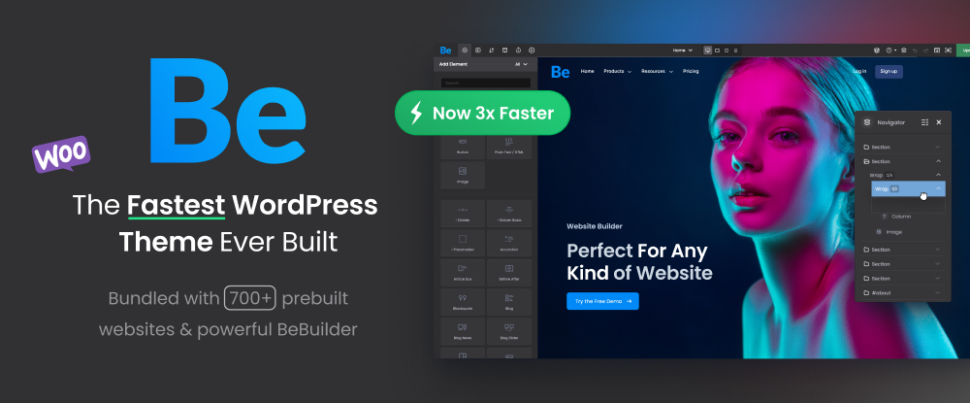
One of the most consistent features of BeTheme is that it keeps getting better with each new release, with each new feature or set of features adding to its already well-established popularity. BeTheme has in effect become a total website management system thanks to a multiplicity of powerful core features that can be used for quickly building high performance websites of any type.
- BeTheme’s 700+pre-built websites, a longtime user favorite, feature total customizability, responsiveness, and built-in UX functionality plus they enable users to get their projects off to a rapid start.
- BeBuilder heads up an imposing collection of builders that include a Header Builder, a Footer Builder, a WooCommerce Builder, a Loop Builder, a Popup Builder, and a Sidebar Menu Builder. Thanks to BeBuilder, BeTheme can lay claim to being the fastest, most flexible, and most intuitive WordPress theme ever built.
- BeBuilder’s Blocks mode features 80+ building blocks to work with together with selections of premade payouts and global theme options.
- BeBuilder’s Developer mode improves workflow and takes users to the next level.
- Other new BeTheme features include a Dynamic Data feature, a Conditional Logic tool that can determine if a content element or section can be rendered, a Single Post option, a Single Portfolio option, a Layer Navigator, and a Nested Wraps capability for managing more advanced layouts.
Click on the banner to check out each of BeTheme’s core website-building features. You’ll be impressed and glad you did.

Take Cornerstone, the most advanced builder in WordPress, pair it with Pro Theme, and what you get is the most powerful combo in WordPress. Cornerstone, with its app-like design and development capability is website building in the browser at its best and makes building websites fun, as it should be.
The Cornerstone Builder brings to the table the ability to build custom layouts and templates, stunning headers, content blocks, optimized workflows, glorious grids, and much more.
Cornerstone’s imposing family of builders include a Header Builder, a Footer Builder, a Layout Builder, and a Blog Builder.
- Cornerstone’s Design Cloud asset is only a click away and features hundreds of ready-made templates, an ecosystem of premium plugins, and a collection of valuable courses that include Cornerstone Charts, Web Design Magic, Super Loopers, Gridorama, Modern Sliders, and others.
- Headline technical features include Blank & Starter Stack, Theme Parameters, Components, and Elements, Conditional Logic, Native Web Effects, Native Sliders, Native Mega Menus, Font Awesome 6, Presets, Responsive Modals, Element API, and much more.
- Cornerstone recently launched an External API feature that enables users to connect any 3rd party API to WordPress.
Click on the banner, visit the Pro + Cornerstone website and be prepared to be impressed with what you see. Reviews by satisfied users are included.
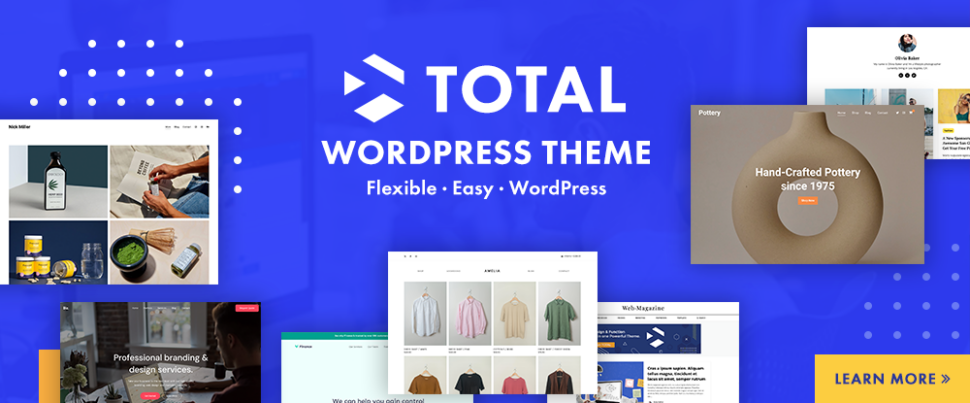
Whether you have a new website building project in mind or have decided it would be a good idea to spice up an existing one, having Total at your fingertips will help you do either to perfection. The Total WordPress theme is an ideal choice for developers, small business owners, and web designers of all skill levels.
Having the ability to create a website that does justice to your business is good. Having tools on hand that enable you to build it your way is even better. The Total WordPress theme guarantees both with its:
- 50+ ready to use demos, 100+ site builder elements, 90+section templates, and hundreds of live customer settings plus the Slider Revolution plugin and an extended version of the WPBakery drag and drop page builder with its ready to use patterns, sample demos, and pre-styled cards.
- seamless integration with WooCommerce for your shop-building projects.
- boxed and full-width layout options, dynamic layouts, one-page sites, and advanced page settings.
- RTL and translation ready code, retina images, a unique WPBakery Slim Mode to speed up your site, and five-star support.
Total is developer friendly with a full complement of action hooks, filters, custom snippets and more. Click on the banner to learn more about what Total could do for you.

Suggestion. Visit Uncode’s website and view its inspirational user-built website gallery that shows what its users have accomplished, as well as what Uncode could do for you.
This best-selling (110,000+ sales) creative and WooCommerce theme features include:
- a remarkable selection of 95 demos or concepts, each of which is built around a specific purpose for creating agency, business, event, or portfolio websites and blog projects.
- an impressive library of useful page layouts.
- Uncode’s WooCommerce Builder for designing shop pages and pixel-perfect product listings.
- the Uncode Wireframes plugin with its 550+ section templates you can work with to create landing your pages or build a complete website.

The Outgrid Elementor Theme with its impressive range of 2,000+ blocks, 250+widgets, pages, and stunning interactions gives you everything you need to create an exceptional website that will stand out from the competition.
- Outgrid’s Theme Options tool gives you total control over every aspect of your website’s static elements.
- Outgrid’s UiCore Framework, Elementor’s free page builder, and Element Pack Pro plugins provide the theme’s core functionalities and amazing horsepower.
- Outgrid’s Performance Manager helps you manage your website features, all in one panel, with no extra plugins.
- Go global with Outgrid’s multilingual, translation, and RTL capabilities,
Outgrid also offers a White Label version. Simply add your logo, brand name, brand color, and disable theme features.

750,000+ first-time WordPress users and professional web designers (more than 24,000 of whom have submitted 5-star reviews) have discovered how Avada, the ultimate website builder and the #1 best-selling WordPress website building theme ever, makes it so fast and easy to create an amazing website.
- Avada lets you customize anything and everything while its live visual drag and drop builder and huge selection of templates lets you build your website quickly.
- The demo importer is a time saver. One click, and you’re ready to start customizing.
- You can build everything from one-page business websites to thriving online marketplaces without ever having to write a single line of code.
Avada is responsive, optimized for speed, e-commerce enabled, and you’ll receive top-notch customer support.

Woodmart, the owner of a 4.95/5.0 average rating, offers an all-in-one solution for creating an attention-grabbing online store.
Visit the Woodmart WooCommerce theme website and go down its selection of 80+demos with their shop, business, corporate, fashion, electronics, and furniture themes. Chances are you’ll catch yourself trying to order something before remembering it’s only a demo.
Woodmart is simply demonstrating what an engaging website should look like.
- The 80+ attractively laid out pre-made websites are inspirational and realistic.
- Woodmart’s Shop and Product Page Elementor builders and design elements help you build an online store the way you want to.
- The full AJAX filter and search features and Elementor custom checkout reduce order completion time and increase conversion rates.

The 100% eCommerce ready Blocksy WordPress theme is chock full of intuitive website building tools and aids that include –
- Powerful advanced header and footer builders.
- Gutenberg capabilities and the latest web technologies together with advanced WooCommerce integration with features calculated to maximize your conversion rates.
- Blocksy’s Content Blocks module for inserting content anywhere you choose.
- The mega menu extension for creating gorgeous dropdowns and layouts.
- Support for custom post types and dynamic data.
- local Google fonts that endure GDPR compliance.
Blocksy is compatible with Elementor, Brizy, and Beaver Builder page builders. Blocksy also features a White Label module that allows users to emphasize their company brands for maximal trust and user engagement.

Building an online store should be done with careful attention to detail but it does not have to become a tedious grind. You’ll need to have your own content (products, descriptions, etc.) at the ready, but the rest will be the easy part if you let the XStore WooCommerce theme do the work for you.
Design tools include 130+ ready to customize and launch shops, Single Product, Product Archive, Checkout Layout, and Cart Layout builders, and 15 Sales Booster features that include:
- Fake live viewing as a sales boosting aide.
- product variation swatches selection dropdown.
- popup that shows site activity in real-time.
- frequently bought together ads as customer aids
- 360 Product Viewer
- Express Checkout, and
- sticky add to cart bar that allows customers to add products without leaving pages.

If a creative, multi-purpose Elementor WordPress theme is your cup of tea, Litho is right for you.
Litho is built with Elementor and can be used for any type of business niche like corporate, design agency, restaurant, travel, yoga, architect, fitness, interior, cafe, application and more, plus portfolio, blog, and eCommerce. Just add the WooCommerce plugin and you’re ready to go.
- The popular Slider Revolution plugin is included along with 37+ ready home pages, 200+ creative elements, and 300+ page-building templates.
- Litho is WooCommerce ready, multilingual WPML compatible, and features top loading speeds and healthy SEO results.
- Litho provides its users with detailed online documentation and top-notch customer support.
Litho is ideal for novice and advanced users alike.
*******
Site appearance is key with respect to how people will perceive your brand. It is therefore imperative that your online presence features a professional, visually appealing, and responsive design that helps you gain credibility, engage site visitors, and increase your conversion rates.
A WordPress theme can make this happen by giving you a fast, reliable, and efficient approach to website design by providing you with solutions that allow you to jumpstart your design efforts in minutes as opposed to the time it can take to create a layout from scratch.
Selecting the right WordPress theme is key if you want to present your content in an engaging, easy-to-digest, and functional manner. Now that you’ve checked out these 10 excellent WordPress themes, this might be the time to select one that suits you best and get on with building your site.