

Description
BizScraper — Business Lead Generation for WordPress
Discover businesses, organize prospects, and manage your lead generation workflow from your WordPress dashboard.
BizScraper helps you build targeted business lead lists using Google Places data. Search by business type and location, explore a custom area on a map, and review available business details in one organized workspace. Track your searches, manage lead statuses, and export records to CSV for use in your sales process.
Find businesses by keyword and location
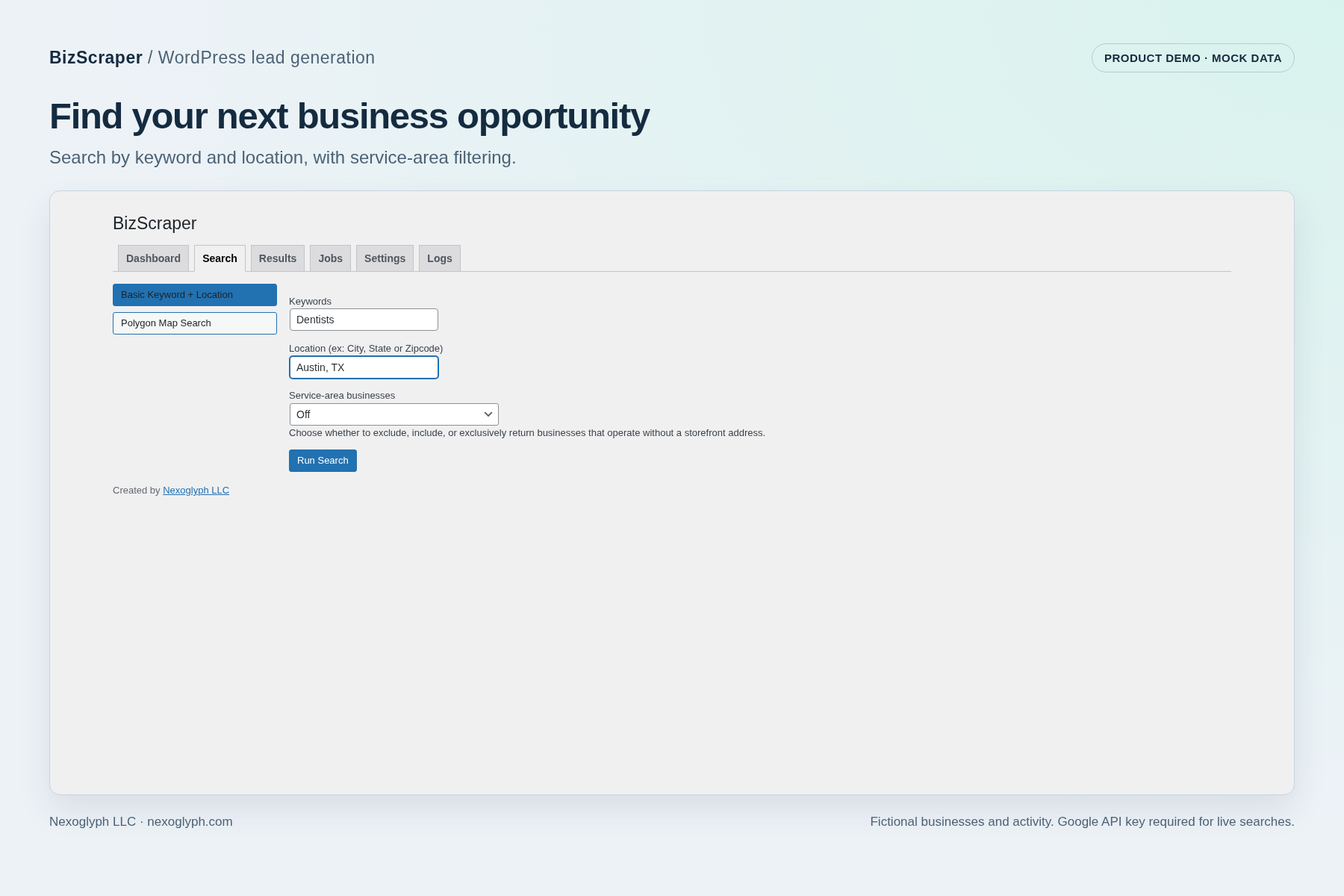
Search for the businesses that matter to your organization. Combine a keyword—such as dentists, landscapers, accounting firms, or coffee shops—with a city, state, or ZIP code to discover relevant prospects.
BizScraper retrieves up to 60 results per search flow, subject to Google Places availability and query limits. Available information may include:
- Business name and address
- Telephone number
- Business website
- Google Maps link
- Rating and review count
- Geographic coordinates
The information available varies by business and by the data returned by Google.
Target a custom area with polygon map search
Define your search area by drawing a polygon on the map. Polygon search gives you greater control when prospecting within a neighborhood, service territory, or other geographic boundary.
Include service-area businesses
Some businesses serve customers without maintaining a public storefront. BizScraper provides service-area filtering options so you can choose to exclude these businesses, include them alongside other results, or focus on service-area businesses only.
Keep your leads organized
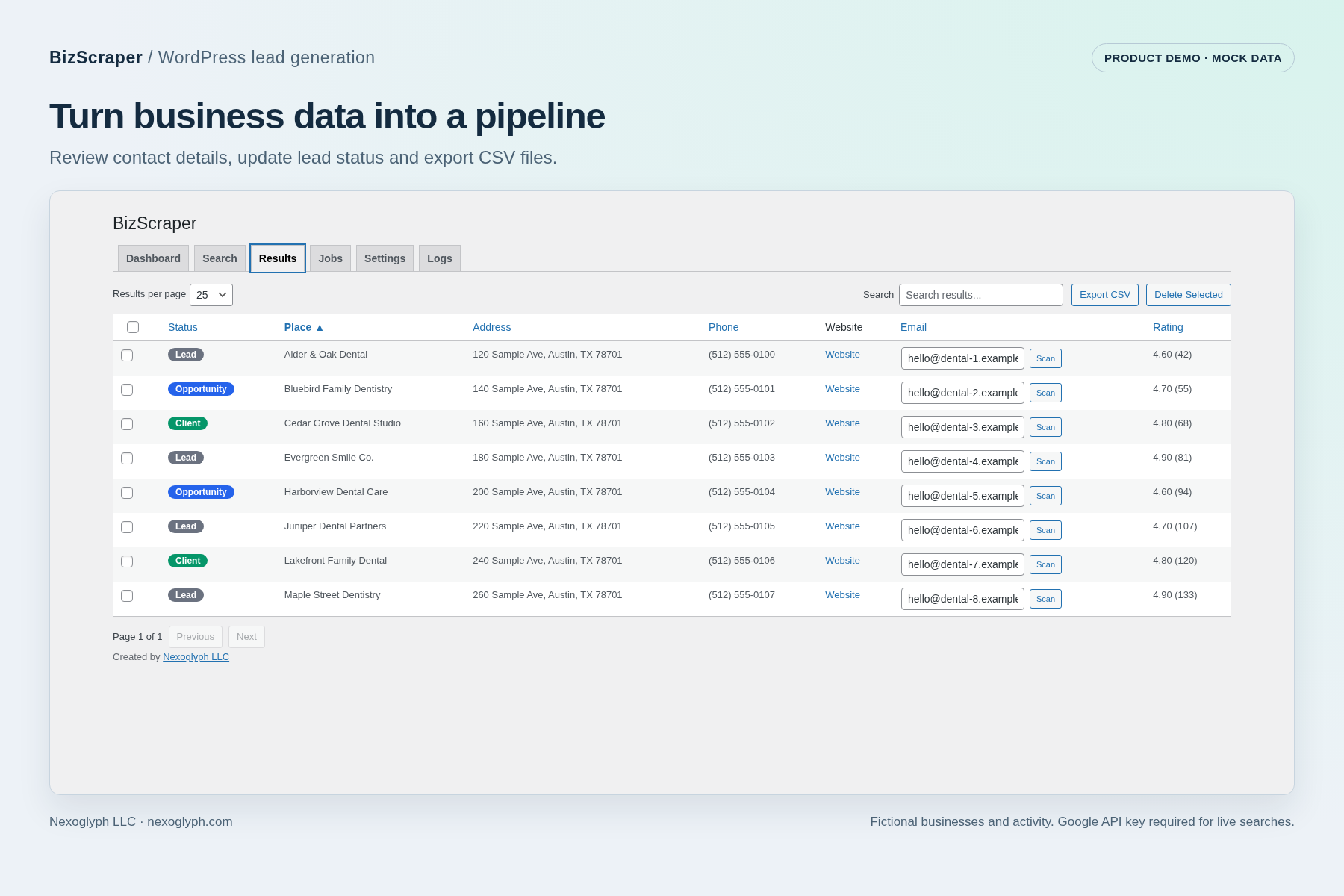
Review business records in a searchable results table and manage prospects as your relationships develop.
Assign statuses such as Lead, Opportunity, Client, Rejected, or Invalid to keep your pipeline organized. Search and sort records, edit contact email addresses, and remove selected entries when you need to clean up your list.
Reduce duplicate records
BizScraper maintains a central collection of business records and connects them to the searches that found them. Its deduplication workflow helps reduce repeated entries when searches overlap, while preserving the relationship between a business and individual search jobs.
Run searches immediately or queue them
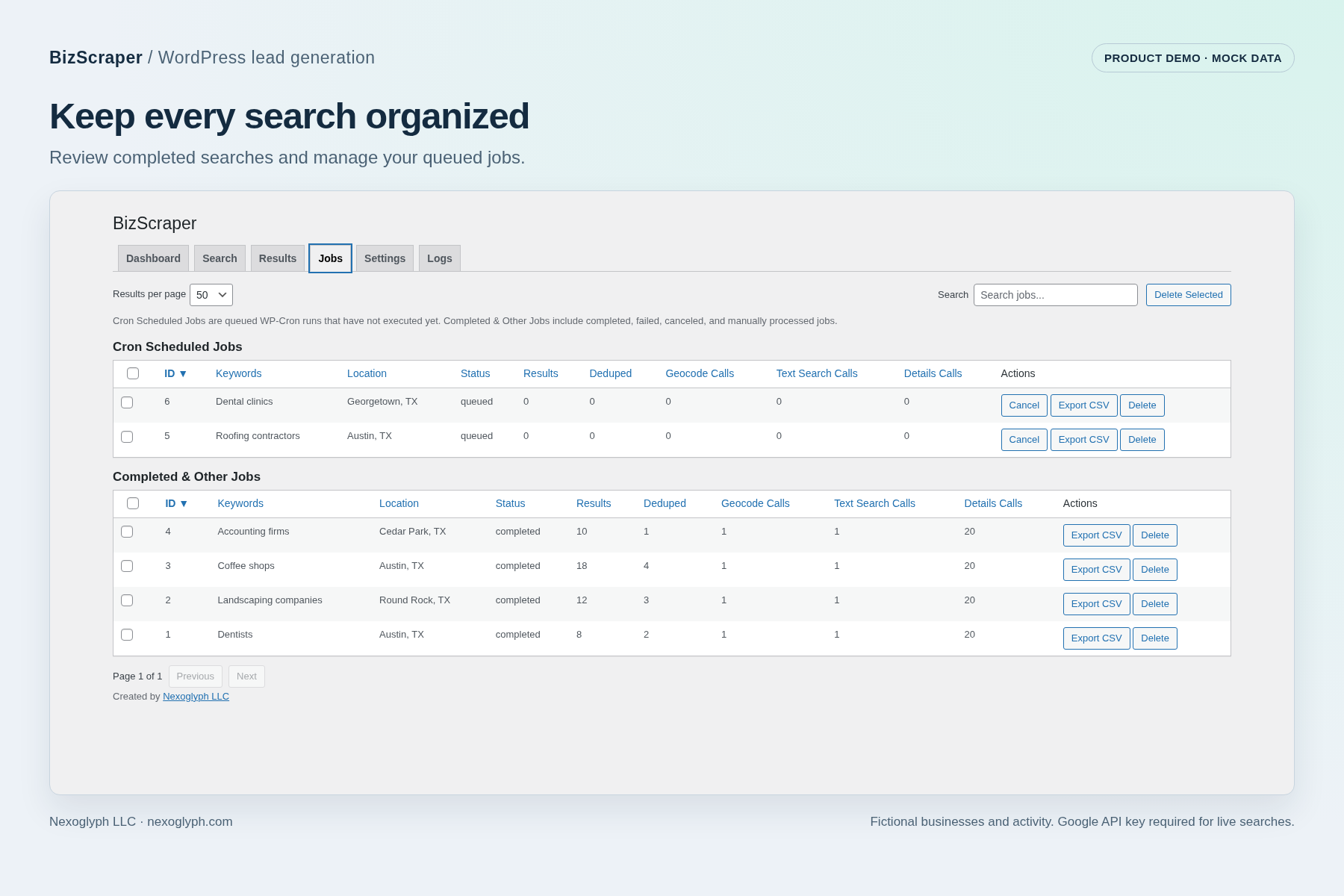
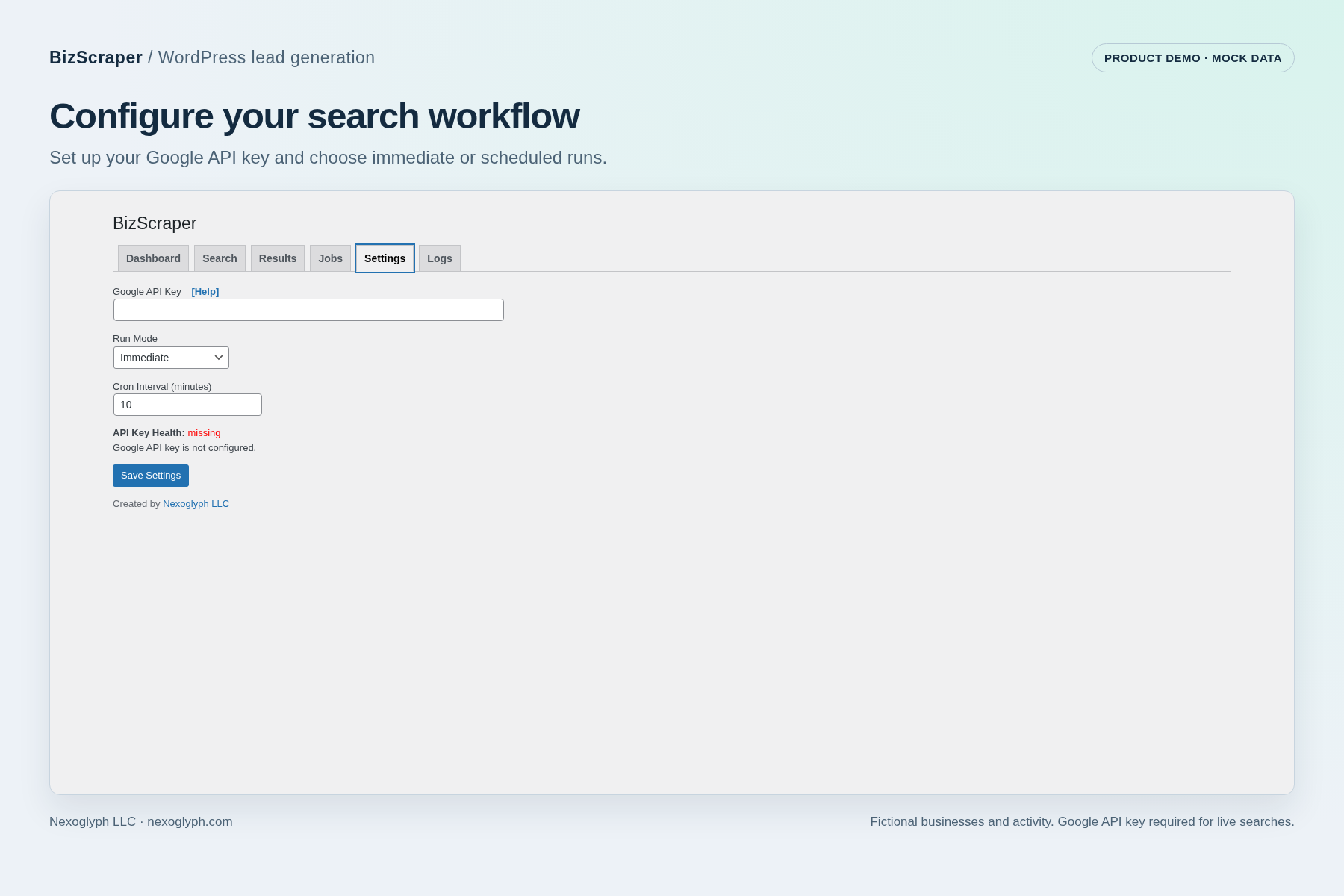
Choose immediate execution when you want to run a search right away, or use the queued workflow with WordPress scheduling.
Review queued jobs, cancel jobs before execution, and track completed searches from the Jobs tab. Job records provide visibility into results, deduplications, and API activity.
Scheduled execution uses WP-Cron, so timing depends on your WordPress cron configuration and site activity.
Export leads to CSV
Move your research into the next stage of your workflow. Export results for an individual search, selected business records, or your full results collection.
CSV files can be used with spreadsheet software or prepared for import into compatible CRM and sales tools.
Look for contact emails on business websites
Use the website email scan action to look for contact email addresses on a business’s website. You can also enter or update an email address manually.
Email discovery is not guaranteed. Results depend on whether a website publishes accessible contact information; website protections and email obfuscation can prevent detection.
Monitor activity and API usage
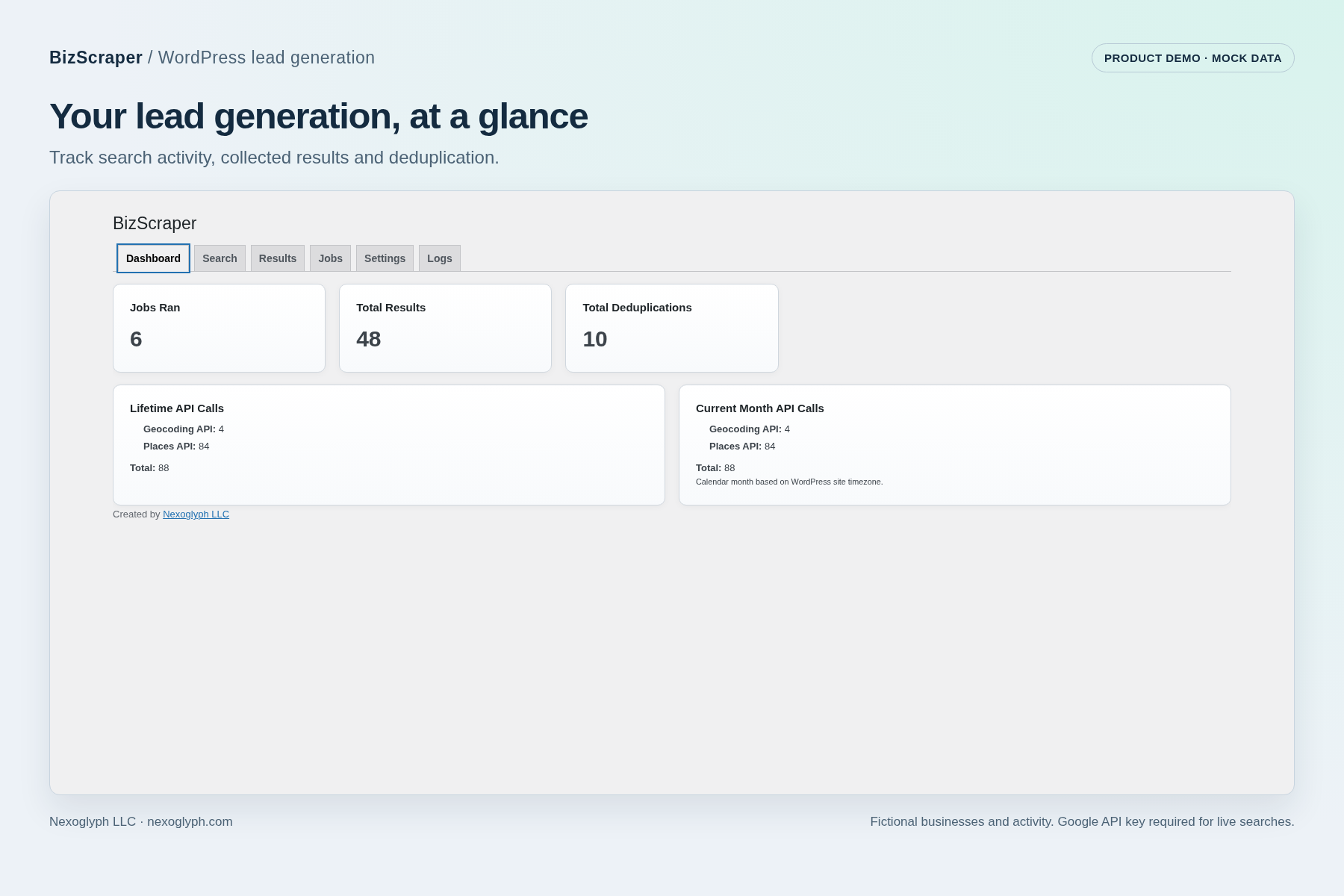
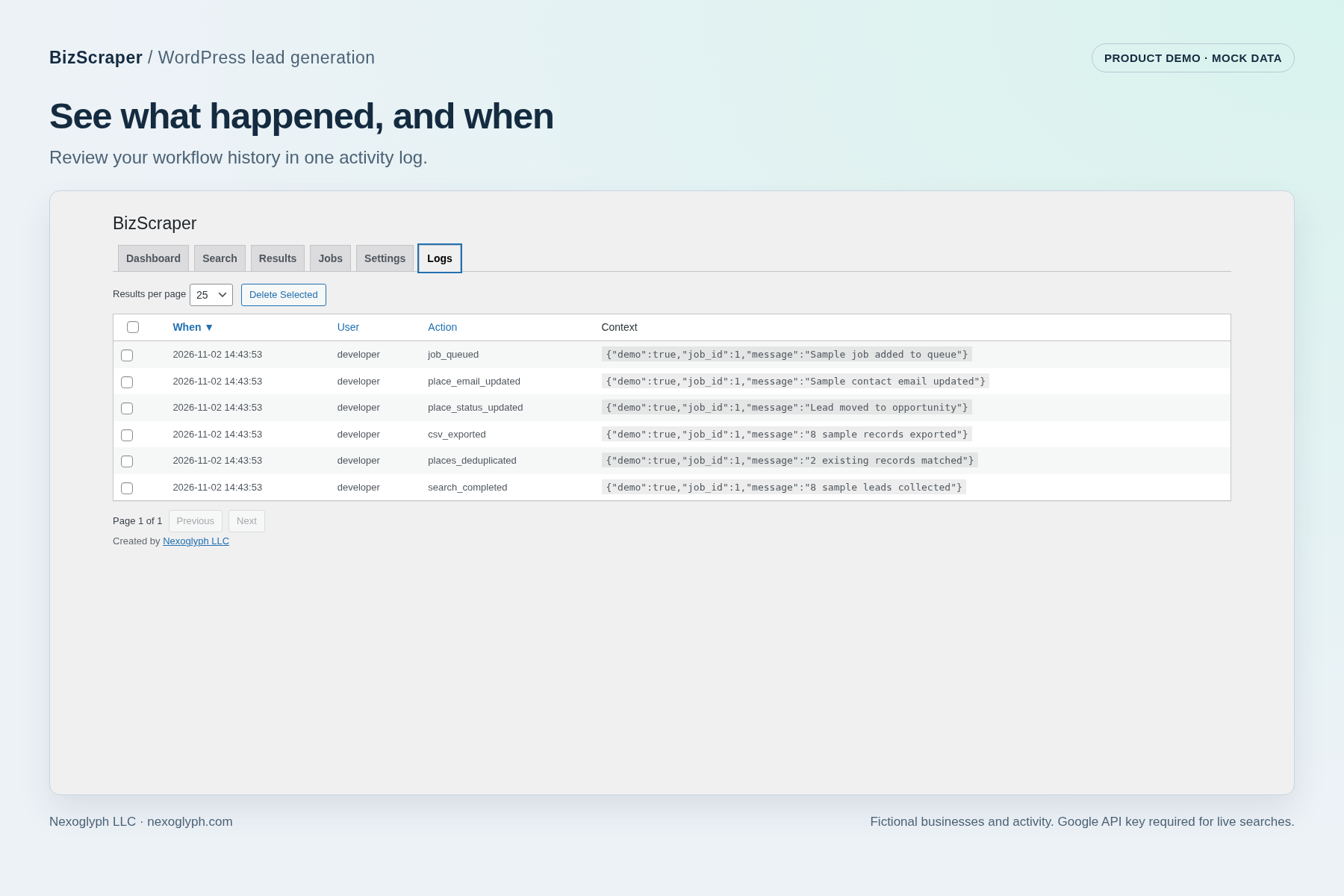
The dashboard provides an overview of your search activity, collected results, deduplications, and API call totals. Review lifetime and current-month API activity, inspect job history, and use the activity log to follow recorded plugin events.
BizScraper also checks your configured Google API key and gates searches when the key is invalid, helping you identify configuration issues before running a search.
Built for business prospecting
BizScraper is useful for agencies, consultants, sales teams, and business owners researching local markets or building targeted prospect lists.
Use it to discover potential customers, review businesses in a service territory, organize outreach research, or export business records for further qualification.
Requirements
To use BizScraper, you need:
- A WordPress website with WooCommerce installed and active
- WordPress administrator access
- PHP 7.4 or later, with your installed WooCommerce version’s requirements also satisfied
- A Google Cloud project with billing enabled
- A Google API key with the Geocoding API and Places API (New) enabled
- API key restrictions that allow requests from your WordPress environment
Google API usage is billed separately by Google according to its current pricing. Purchasing BizScraper does not include Google API credits.
Business data availability, accuracy, and result counts depend on Google’s services. BizScraper provides tools for collecting and organizing business information; it does not guarantee contact details, qualified leads, or sales outcomes.
Created by Nexoglyph LLC.
Short product description
Generate and organize business leads directly in WordPress. BizScraper combines Google Places search, custom polygon map targeting, service-area filtering, lead status management, duplicate handling, queued searches, website email scanning, and CSV exports in one admin workspace.
Requires WooCommerce and a billing-enabled Google Cloud API key. Google API usage charges apply separately.


Reviews
There are no reviews yet.