
Description
Stormwatch — Desktop Weather Monitoring for the Places That Matter
Follow National Weather Service alerts, monitor saved locations, and customize how you’re notified—all from one desktop workspace.
Stormwatch brings weather alerts, affected-area maps, recent alert history, and flexible notifications together in a desktop application for Windows and Linux. Whether you’re monitoring your home, keeping an eye on family in another state, or following weather across several work locations, Stormwatch helps you organize the information around your needs.
Monitor multiple locations
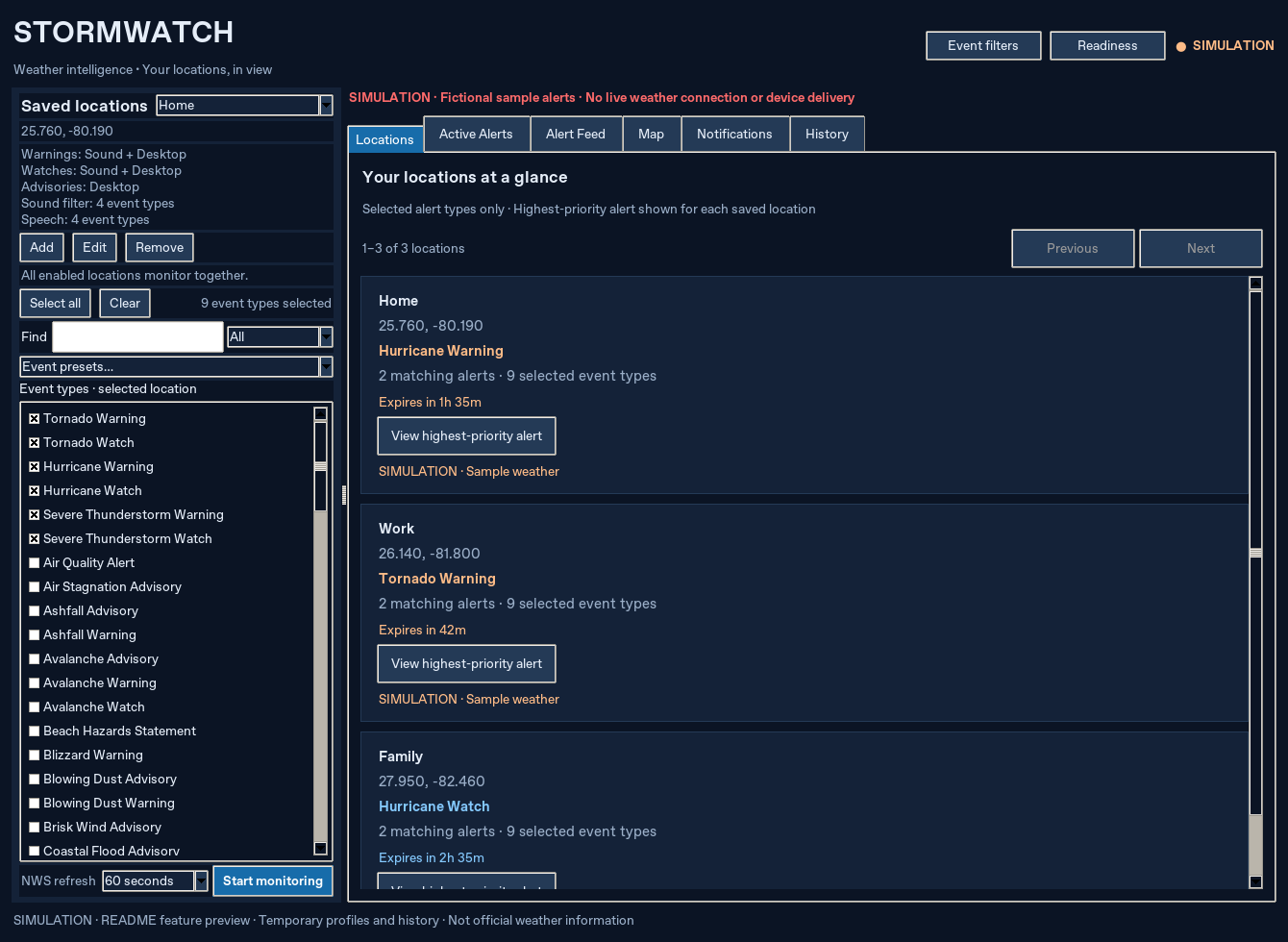
Create named profiles such as Home, Family, Work, or Travel, with separate event selections and notification preferences.
Monitor by state, county, or a saved coordinate location. An offline city and ZIP-code search helps you find a starting location, while advanced settings provide more control over geographic coverage. You can also monitor weather alerts across the United States.
All enabled locations are monitored together, so you can follow several areas without switching between separate monitoring sessions.
Choose the weather events you follow
Select from an extensive catalog of NWS weather and environmental event types, including:
- Tornado and severe thunderstorm warnings and watches.
- Hurricane, tropical storm, and storm surge alerts.
- Flood and flash flood alerts.
- Winter storm, blizzard, snow, and ice alerts.
- Heat, cold, wind, and fire-weather alerts.
- Marine warnings, watches, and advisories.
- Air-quality alerts and other supported environmental hazards.
Search the event list, filter by category, or use Severe Weather, Winter, Marine, and Tropical presets to configure your coverage quickly. Each saved location can have its own selections.
Available event types do not guarantee that NWS will issue a message for every location or weather condition.
See current alerts at a glance
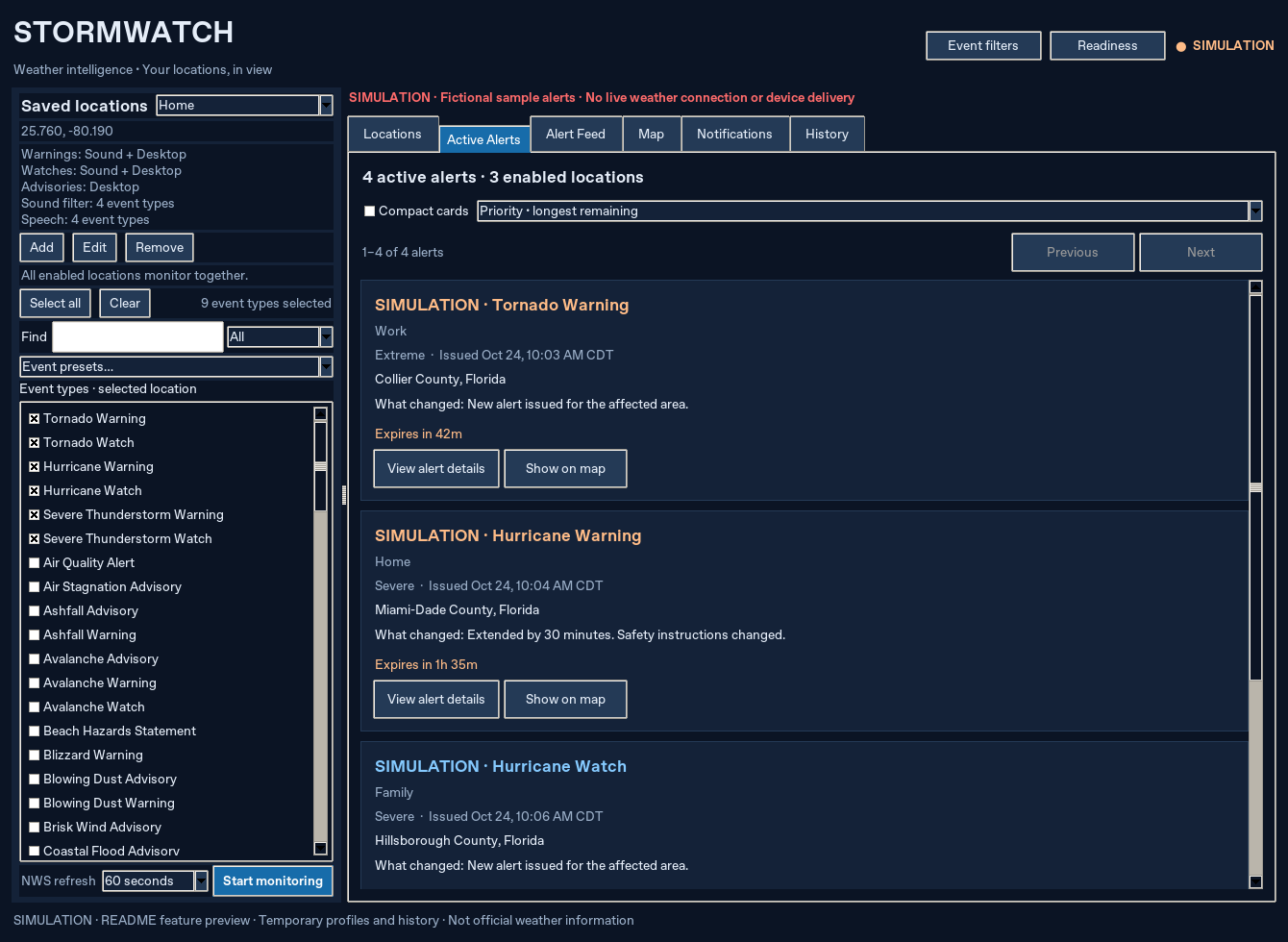
The Active Alerts dashboard presents matching alerts as readable cards with affected locations, severity, issue time, and expiration information.
Use the default warning-first priority order or sort by expiration, issue time, or urgency. Compact cards help you review more alerts at once, and location summaries show the highest-priority alert affecting each saved profile.
Known cancellations and expirations are removed from active views as they are processed. Meaningful alert changes are tracked separately from duplicate messages, helping you follow updates without repeatedly receiving the same alert version.
Explore alerts on an interactive map
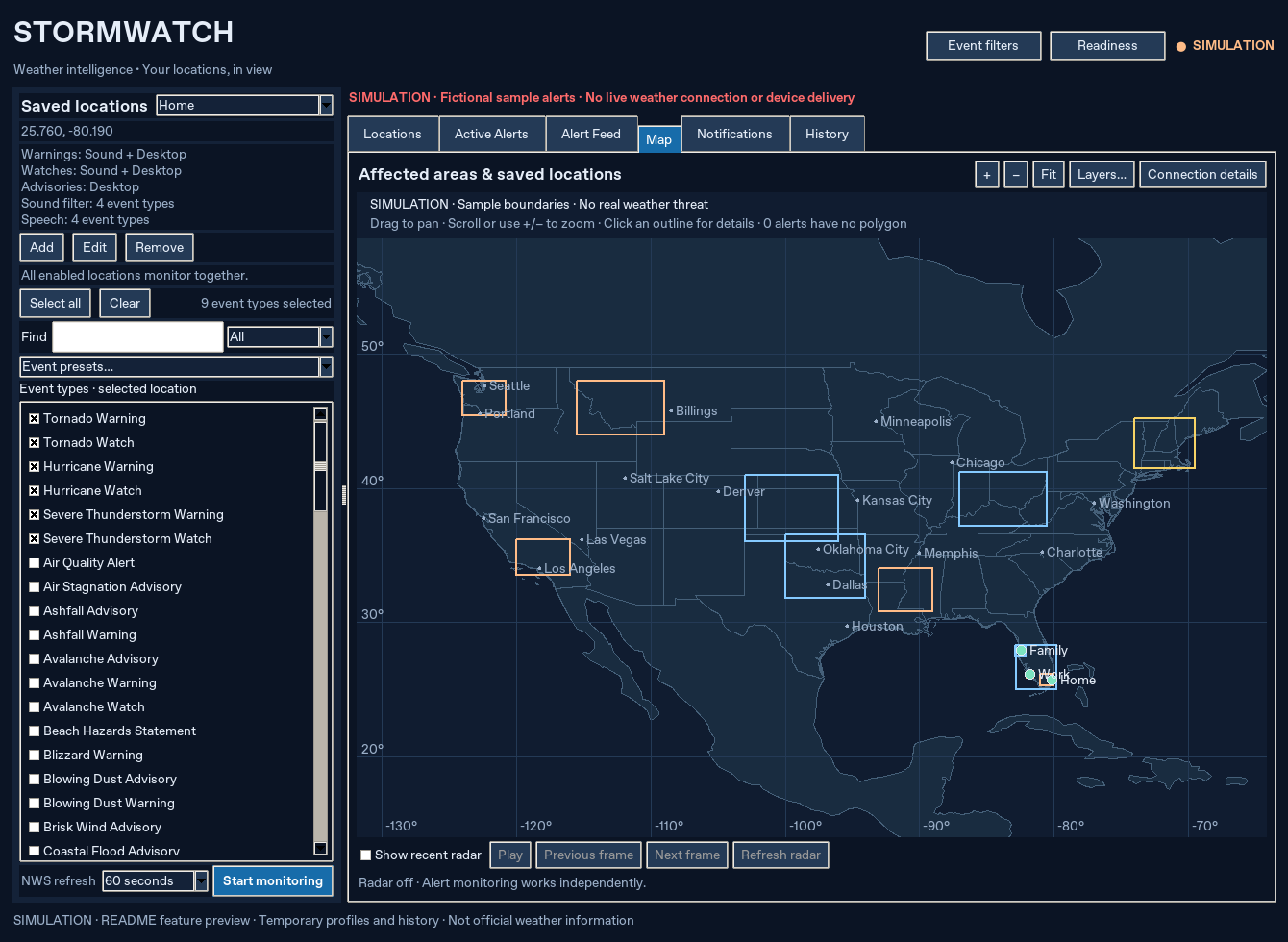
See available affected-area outlines alongside your saved locations. Pan and zoom, fit the view to alerts, and select an outline to inspect its details. Alert cards can also take you directly to their affected area on the map.
Optional geographic layers include state boundaries, county boundaries at closer zoom levels, and major-city labels. Where multiple messages share an outline, a searchable picker helps you choose the alert you want to review.
Enable recent radar imagery through the RainViewer integration for additional weather context, with playback controls for available frames.
Map coverage depends on the geographic information supplied with each alert. Radar availability, frame coverage, and update timing depend on the external provider.
Customize sound, desktop, and spoken notifications
Choose how Stormwatch gets your attention with independently configurable notification channels:
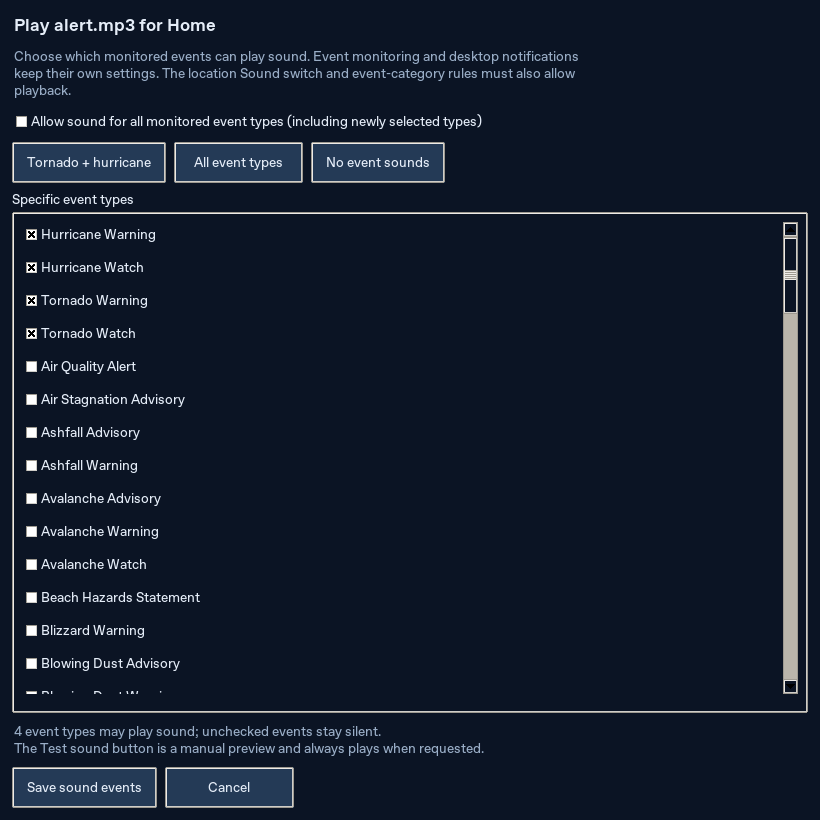
- Sound: Choose which event types play the included alert sound.
- Desktop notifications: Enable notifications for your saved locations and selected event categories.
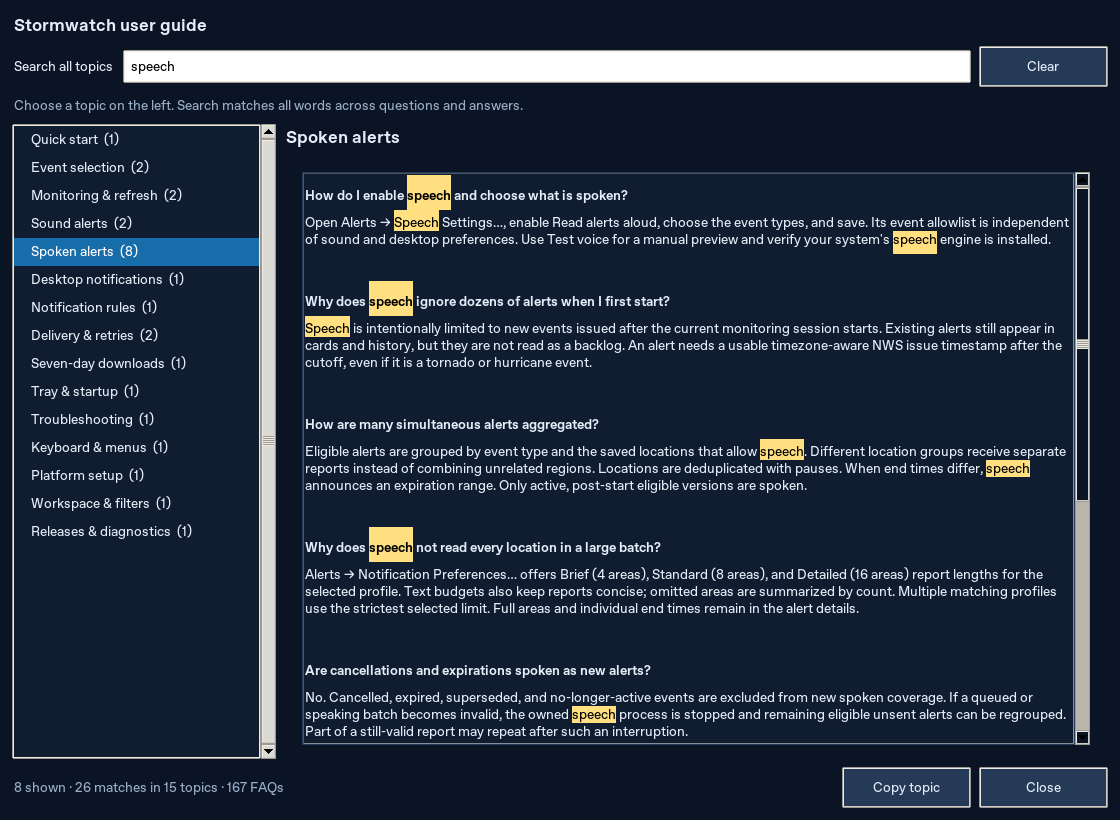
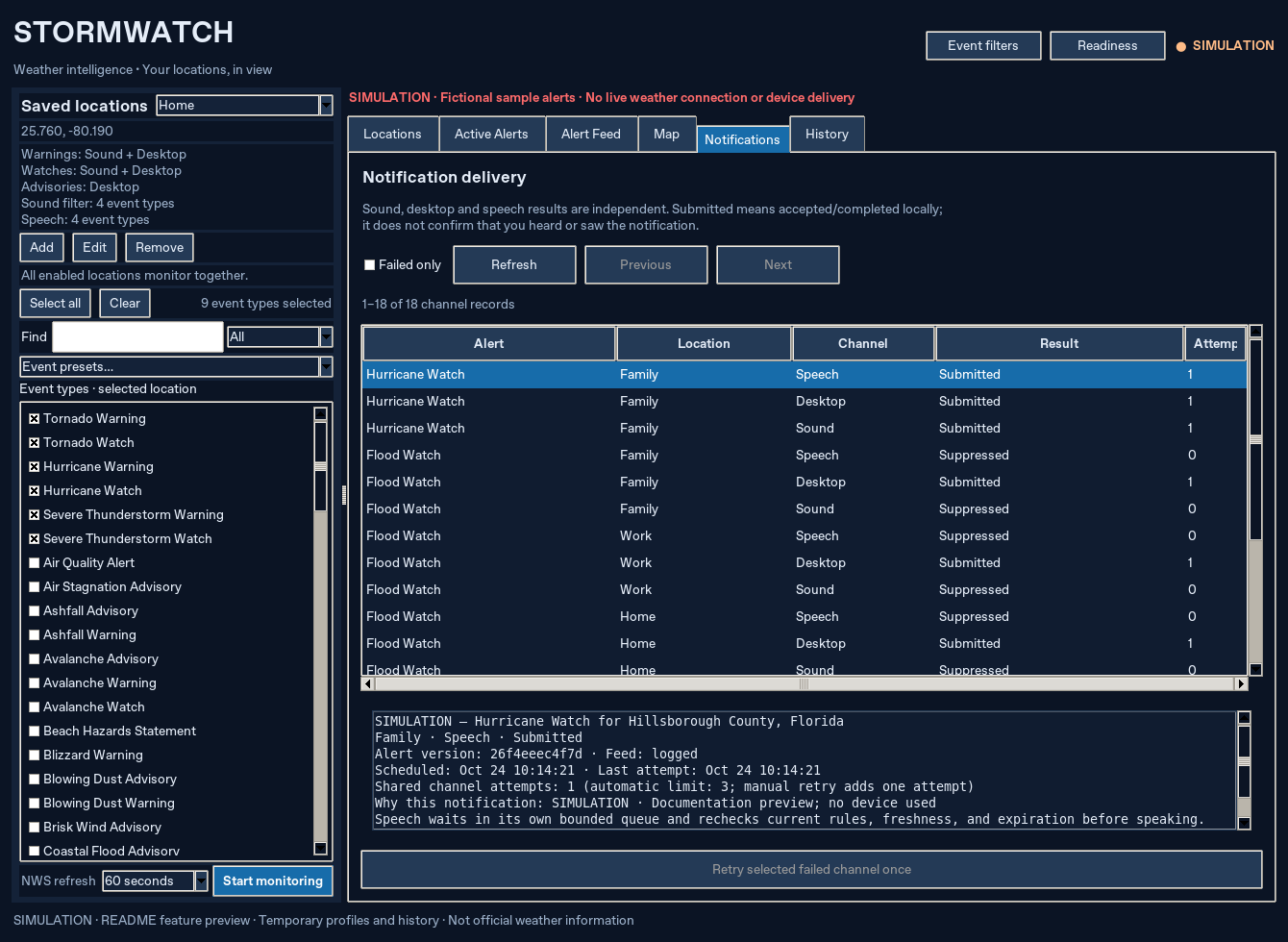
- Spoken announcements: Optionally hear weather-event and location information using your operating system’s supported speech tools.
For example, you can allow sound for tornado and hurricane events while using desktop notifications for a broader range of weather alerts.
Spoken reports aggregate related alerts into batches to reduce a long sequence of individual announcements. Choose a report length that suits your preferences. Speech monitoring uses a session cutoff so starting monitoring does not announce the existing backlog of older alerts, and cancellation and expiration messages are excluded from spoken reports.
A notification decision preview and delivery log help you understand which rules apply and whether a channel submission succeeded or failed.
Keep a searchable alert history
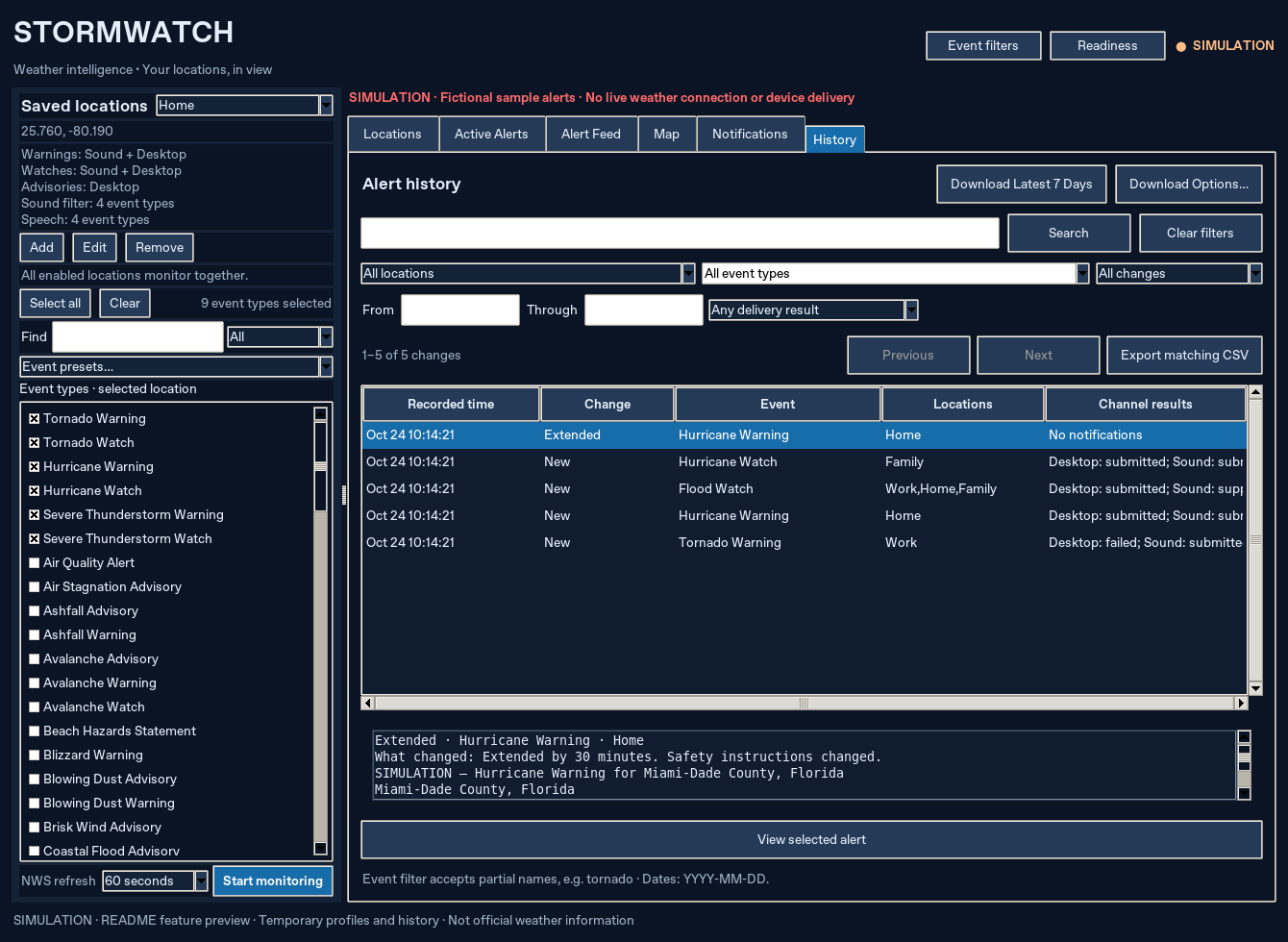
Review recorded alert activity by text, location, event type, change type, date, or notification outcome. History distinguishes new alerts, updates, extensions, cancellations, and expirations.
Export matching records to CSV for further review or reporting.
You can also download the latest seven days of available NWS archive data for a selected state or the entire United States. Stormwatch retrieves daily batches, follows pagination, subdivides busy periods when needed, and deduplicates imported versions.
The NWS download is a recent rolling archive, not a multi-year historical weather database. Availability may be incomplete, particularly near the oldest edge of the download period.
Review weather-alert metrics
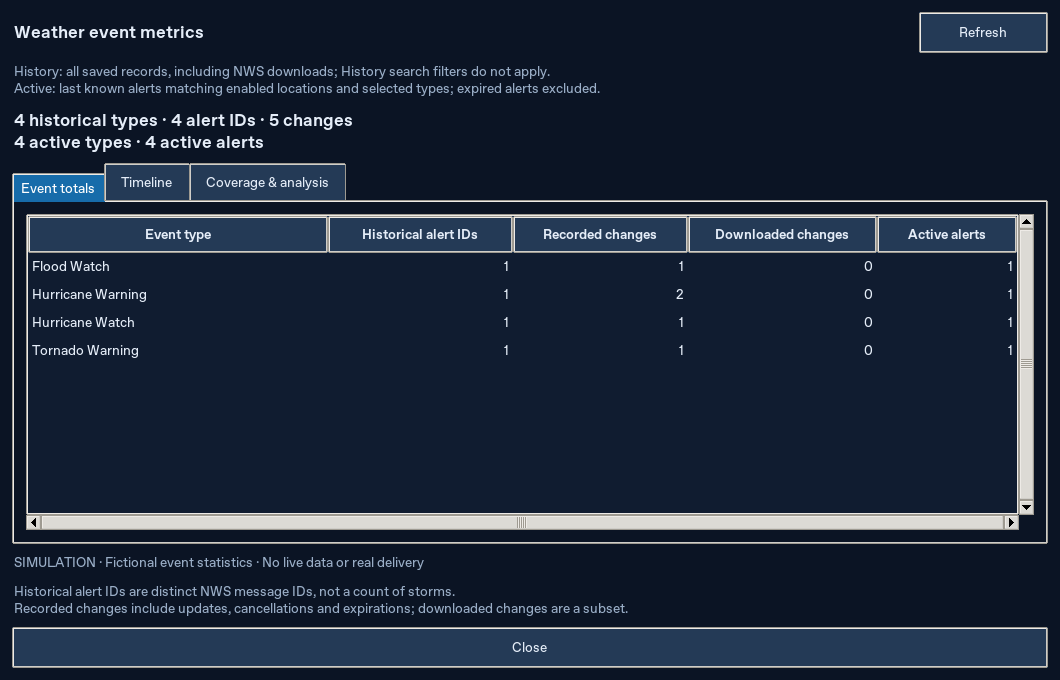
Built-in metrics summarize historical event types and current active types. Timeline and coverage views provide additional context about recorded activity, source information, severity distribution, and county-level alert-message counts.
These tools help you explore your collected records while clearly distinguishing alert messages from physical storms. Recorded history reflects your monitoring configuration, application uptime, connectivity, and imported data; it should not be treated as a complete climatological record.
Stay aware of connection health
Stormwatch displays monitoring and connection status, including paused, connecting, live, degraded, and stale-data conditions. See the last successful refresh and the countdown to the next check.
Choose an NWS refresh interval of 30, 60, 90, or 120 seconds before starting monitoring. Repeated connection failures use progressively longer retry delays and honor provider retry instructions.
Make the workspace your own
Stormwatch includes practical controls for everyday desktop use:
- Multiple appearance themes and persistent font-size settings.
- A resizable, collapsible event-selection sidebar.
- Compact buttons and alert cards for smaller workspaces.
- A tabbed workspace for locations, active alerts, the alert feed, maps, notifications, and history.
- A clearly labeled Demo Mode for exploring sample alerts.
- A readiness review and comprehensive searchable how-to documentation.
- Validated database backups, staged restores, and optional archive-retention controls.
- System-tray monitoring on supported desktop configurations.
- Optional launch at login on Windows.
Platform and service requirements
Stormwatch supports Windows and Linux desktop environments. Features depend on the operating system, installed dependencies, and available desktop services.
An internet connection is required for live NWS data, archive downloads, radar imagery, and geographic lookups used during location setup. Sound requires a working audio output. Spoken announcements require a supported speech backend. Desktop notifications and tray operation require compatible operating-system services.
Linux installations may require additional packages for notifications, speech, and tray integration. Launch at login is provided for Windows.
Weather-alert coverage is based on the United States National Weather Service. A worldwide map does not provide worldwide alert coverage.
Important weather-safety information
Stormwatch is a supplemental weather-monitoring application. It is not an official NWS application, an emergency-dispatch service, or a replacement for NOAA Weather Radio, Wireless Emergency Alerts, local authorities, or other official warning channels.
Alerts and radar can be delayed, unavailable, incomplete, or affected by network connectivity, provider services, application settings, and operating-system behavior. Successful notification submission does not guarantee that a notification appeared on screen or was heard.
Keep multiple reliable ways to receive urgent weather warnings, and follow instructions from official authorities.